Remove Location Data From Photos Before Selling Online
Published 16 September 2026 · by Tekiba
Take it off yourself, before the photos leave your folder. A phone photo can carry the coordinates where it was taken, the time, and the camera's make and serial number. Whether a marketplace strips that may depend on how you upload, and the published accounts disagree — so rely on the part you control. SignetDrop redraws every photo in your browser, so the output carries no EXIF at all unless you are on the paid version and ask for it: ten photos at a time for free, up to 2048px, no account.
What is actually in the file
A photograph is pixels and a block of notes about them. The notes are EXIF: on a phone that typically means the date and time to the second, the make and model, sometimes the serial number, and — if location services were on for the camera — the latitude and longitude where you stood. Apple's guide to managing location metadata in photos describes the other side: where that setting lives, and how to share without it.
For a listing, the awkward part is that the notes describe the photographer rather than the goods: photos of a sofa taken in the front room are a set of records of one address. None of it shows in the picture, and ordinary programs will show it to whoever ends up with the file.
Why "the site will strip it" is a thin plan
Re-encoding an image tends to drop its metadata, so an upload that gets processed at the far end may well come out clean. What you cannot do is confirm it. Looking at a published image tells you about that one image, not what a service keeps or what the next upload will do. The app, the desktop site and a bulk listing tool are different software and need not behave alike, none of it has to stay the same after the next release, and the published accounts do not agree with each other either. Treat it as a bonus rather than the plan — what you decide is what the file contains when it leaves your machine.
Clearing a whole batch in the browser
-
Choose the photos. Drag them onto the page, or press Choose photos and pick them there. (The photos themselves, not the folder: a dropped folder is not read.) Nothing is sent — the browser hands the page a reference to files that stay on your disk. JPEG, PNG and WebP are read by any current browser; HEIC where the browser ships a decoder, which in practice means Safari.
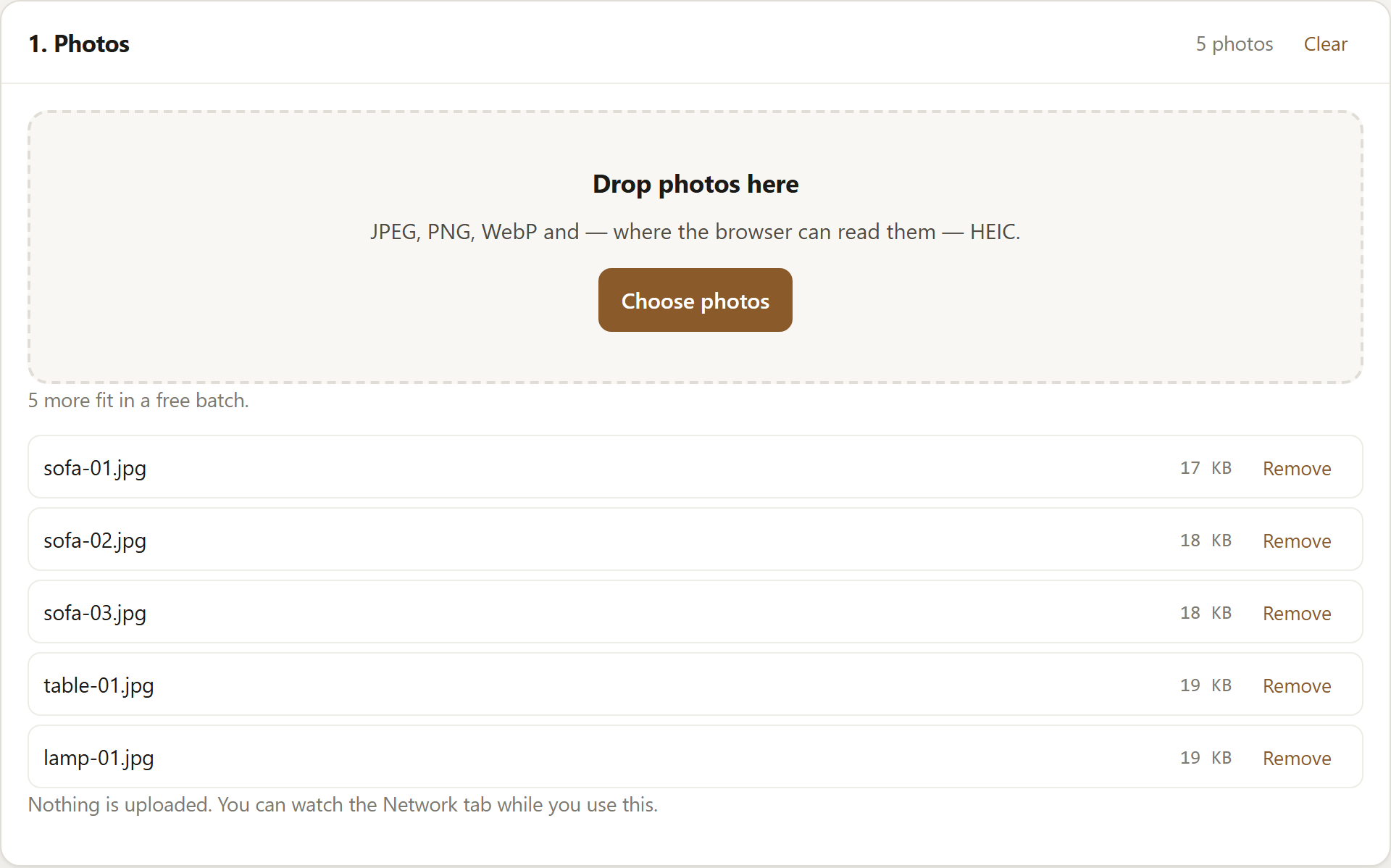
Five photos added. The counter tracks how many more fit in a free batch. -
Leave the EXIF setting alone. Removal is not a checkbox here: each photo is drawn onto a canvas and encoded again from those pixels, and a canvas has nothing to say about where a picture was taken or what took it — nothing can be missed by a filter, because nothing is carried across. The one setting here does the opposite: the paid option to keep the original EXIF. A free batch comes out cleared even if the box is forced on.
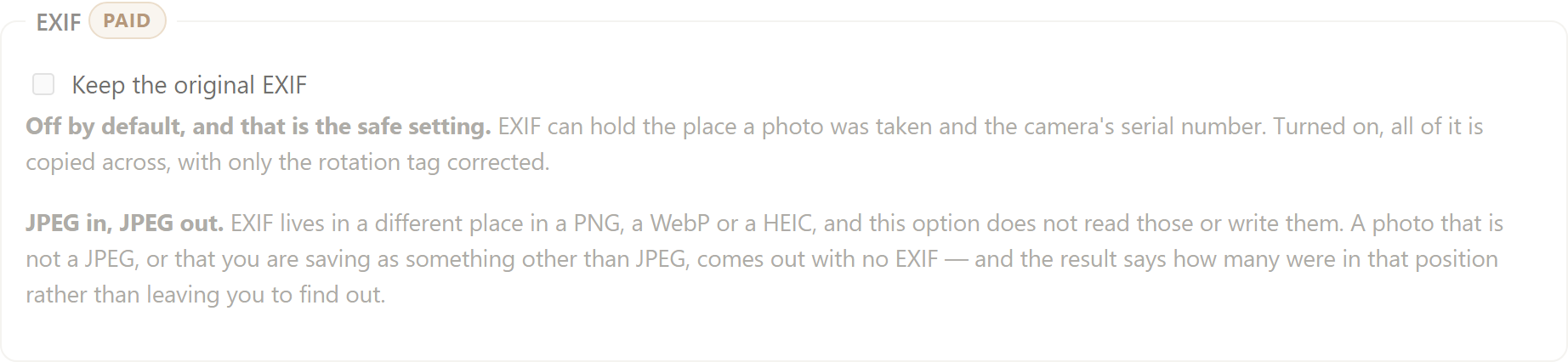
The only EXIF setting is the paid option to keep it. Off is the default. -
Run the batch and take the ZIP. The photos are handled one after another into an archive built in the page, and the download comes from your own machine. What a cleared JPEG does still contain is a colour profile: Chromium attaches a standard sRGB block to the JPEGs it encodes, which describes the colours and nobody else.
The companion article walks through checking that in your browser's developer tools: watermark multiple photos without uploading them.
Keeping EXIF, if you ever want it
Sometimes the notes are the point: a portfolio, or an archive indexed by capture date. The paid version can carry the original block across, with two things worth knowing. JPEG in, JPEG out: PNG, WebP and HEIC keep metadata in their own containers, which this tool neither reads nor writes, so anything else comes out with no EXIF whichever way the option is set — and with the option on the result panel counts them. And location stays out: the GPS block is removed unless you untick Strip GPS location, and the rest goes across with the rotation tag corrected. For selling, leave it off anyway.
Resizing and a watermark in the same pass
Scaling, conversion, renaming and a watermark all happen in the one pass here, so each photo costs one decode and one encode rather than four. Bulk resize and rename photos online covers the sizing and the naming patterns, and resize photos to 2048px for Facebook covers preparing a batch at one size for a social feed. Phone photos come out upright either way: the rotation tag is read before the pixels are drawn.
What this does not do
Clearing the metadata does not make a photo anonymous. It takes the notes off the file; the picture itself can still show where you live — a street sign through a window, a house number on a door. Look at what is in frame, and crop before you list. Nor does it reach copies you have already published: the file to fix is the one still on your disk.
Where the free version stops
The free version does ten photos at a time, up to 2048px on the longest edge, and the EXIF comes off every one of them — clearing it is not the paid part. No account, no time limit, and it never writes our name onto your photos: the only mark that comes out is yours.
The paid version is $29 once, not a subscription. It lifts the limits we impose — any number of photos, at any size, subject to your browser and its memory — and adds presets, name templates, two marks at once, padding, fixed canvas ratios and the EXIF option above. The full split is on the pricing panel.
Open SignetDrop and clear a set of listing photos. The pictures stay on your disk.
Questions
Does eBay or Facebook Marketplace strip EXIF automatically?
We cannot tell you, and a listing should not depend on it. Re-encoding an image tends to drop its metadata, so a processed upload may well come out clean — but the write-ups that test this do not agree with each other, and an answer that held two years ago does not settle what happens today. Clearing the local copy first means you do not have to rely on the upload path to do it for you.
Does resizing or watermarking a photo remove EXIF?
That depends on the tool, not on the operation. Plenty of editors resize and then copy the metadata carefully into the new file; and a watermark is pixels drawn on top, which implies nothing about the notes underneath. In SignetDrop the removal follows from how the work is done — the photo is redrawn onto a canvas — so with the paid EXIF option off — the default — resizing, watermarking and a plain conversion all come out cleared. With another program, check one output file rather than assume.
Will removing metadata reduce photo quality?
Deleting the notes does not touch a pixel. The re-encode that removes them here does: a JPEG decoded and written again is one generation further from the camera file, and how much that shows depends on the quality setting, which starts at 86. Saving as PNG avoids that generation loss, typically producing a larger file. Scaling down discards pixels too, and a free batch is held to 2048px on the longest edge whichever resize mode you pick. Your originals are read and left alone either way.
Open the tool, read about watermarking a batch, resizing and renaming one or what eBay and Etsy say about marked listing photos or squaring a batch by padding it, fitting square photos to a 3:4 frame or whether resizing removes EXIF, or see what this page loads and counts.