Make Etsy Listing Photos Square Without Cropping (in Bulk)
Published 21 September 2026 · by Tekiba
Add space rather than take it away. Etsy shows a listing photo in more than one shape, and what it trims comes off your product — so the fix is a border, not a tighter crop. SignetDrop can put an even border on a whole batch in your browser and hand back one ZIP. That part is paid, $29 once; the resizing and renaming around it are free, ten photos at a time, up to 2048px. Read Etsy's own wording first — it is less keen on square than the tutorials are.
What Etsy's page actually says
Requirements and Best Practices for Images in Your Etsy Shop, read on 21 September 2026, gives the sizes:
We recommend your listing photos have a width and height of at least 2000 pixels or more. Your first listing photo should have a width and height of at least 635 pixels to avoid showing up lower in searches.
Note the shape of that sentence: width and height. A photo scaled so its long edge hits the number still misses on the short edge — the mistake a long-edge resize makes.
On shape it says two things. Under image orientation: "The first photo in a listing should be horizontal (landscape) or square", because that "ensures that the center focal point of the image appears in the cropped thumbnail views". But in its thumbnail recommendations it also says, flatly, "Avoid square crops. Upload horizontal or landscape images."
Those pull in different directions and the page does not settle it. One reading is that the warning is about cropping — a photo cut down until the product's edges are lost — and the same section does ask you to "make sure that your thumbnail images have enough of a border that they can be cropped to square, portrait, and landscape thumbnails without losing some of the product", which is a border rather than a crop. But that sentence is about what you upload, not how you made it, and nowhere does Etsy say to pad a photo out to a square. Squaring is one way of working, not a thing Etsy asks for.
Why the thumbnail cuts your product off
Etsy crops the same upload to fit more than one frame — its advice is to check the subject is clear "in all 3 views used across Etsy" — so a photo framed tightly for one shape loses something in the others. Nothing you do changes how Etsy crops; what you control is the slack it has to crop into.
Padding or cropping: which to reach for
Pad when the product runs close to the frame, or when the background is plain enough that added space reads as part of the shot. Crop instead when there is room around the product already — Etsy suggests shooting "further back than you think you'll need". And consider stopping short of a shape altogether: padding with Shape left alone adds an even border and keeps a landscape photo landscape, which is the orientation the thumbnail recommendations ask for.
Doing it to a batch here
This is the paid half of the tool. Padding and a fixed shape are both paid settings, and a free batch comes back at its own proportions — the request is not silently ignored, it is removed and reported. Free is everything around it: resizing, converting, renaming, the ZIP.
-
Find the Canvas settings. Free, they look like this — present, labelled and switched off. Padding is pixels added on every side; Shape offers the photo's own proportions, square, 4:5, 16:9 or 9:16; Background is the colour the new space is filled with.

Canvas in the free version: visible, and disabled. -
Set the size first, then the shape. The resize runs before the border goes on, so a 3000×2000 photo sized to 2000px on its long edge and then set to 1:1 comes out as 2000×2000, centred — the square is larger than the photo, never a window cut into it. Pick a background that matches what the product sits on, so white does not show as a seam.
-
Run the batch and take the ZIP. The archive is built in the page, so the download comes off your machine.
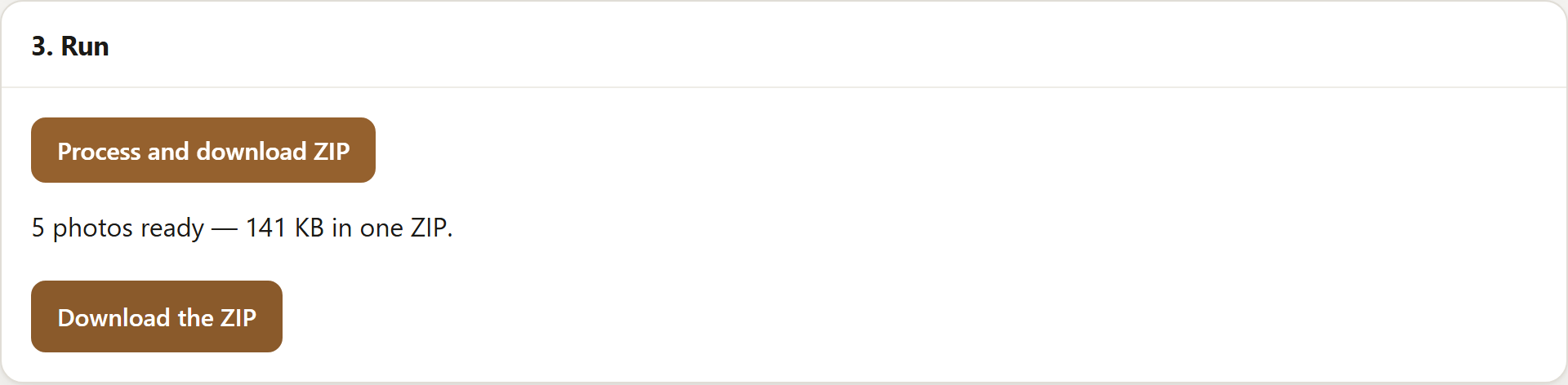
A paid run: five photos, each squared by padding. A free batch reaches this panel too, but comes back at the photos' own proportions.
What this does not do
It adds space; it cannot invent what was outside the frame. There is no generated or blurred backdrop — the new area is one flat colour you choose, and if the photo's own background is a gradient the join will show. Nor does it settle anything at Etsy's end: how a listing is displayed is theirs to change, and this page is only what their help pages said on 21 September 2026.
Where the free version stops
Free does ten photos at a time, up to 2048px on the longest edge, with no account: resize, convert, rename, watermark and a ZIP. Padding and a fixed shape are paid, $29 once rather than a subscription. The split is on the pricing panel.
Open SignetDrop and try a batch. The free settings need no account, and the pictures stay on your disk either way.
Questions
What size should Etsy photos be?
Etsy's help page recommends listing photos "have a width and height of at least 2000 pixels or more", and says the first should be "at least 635 pixels" on width and height "to avoid showing up lower in searches". Both are stated as width and height, not as a longest edge, so a photo resized by its long edge alone can fall short. Its other page suggests "around 1500 pixels wide" — a different figure, and we can only report both.
Will a white border look bad on Etsy?
It depends what the photo sits on. Against a white sweep the border is invisible; against a wooden table it reads as a frame, which some shops want and others do not. The background colour is yours to pick, so matching the surface usually beats defaulting to white. Etsy advises against square crops and asks for landscape uploads, so if you do square a photo a border is the safer way there than a tighter crop — and leaving it landscape is closer still to what the page says.
Can I do this for free?
Not the padding. Adding space and fixing the shape are both paid settings, and a free batch has them removed rather than applied — the run tells you which it dropped. Everything around them is free: ten photos at a time, up to 2048px, resized, renamed, converted and zipped, with nothing uploaded. If it is the sizing you need rather than the shape, bulk resize and rename photos online covers it for nothing.
Open the tool, read about what eBay and Etsy allow on a listing photo, watermarking a batch, clearing location data or sizing for a feed or fitting square photos to a 3:4 frame or whether resizing removes EXIF, or what this page loads and counts.