Poshmark Portrait Photos: Fit Square Photos to 3:4
Published 23 September 2026 · by Tekiba
Poshmark's feed now shows a cover photo in a 3:4 portrait frame, and a closet built the way Poshmark's own older guide advised — square — was not made for one. Poshmark says you may leave it alone. If you would rather hand over a photo already in the frame's shape, add space above and below each square until it measures 3:4: nothing moves and nothing is trimmed. SignetDrop does that to a whole batch in your browser and hands back one ZIP. That part is paid, $29 once; the resizing and renaming around it are free, ten photos at a time, up to 2048px.
What Poshmark changed in March 2026
Poshmark's post A New Look for Listing Photos, read on 23 September 2026, opens with it:
As part of our updated app experience, listing photos will appear in portrait format (3:4 ratio) across Poshmark.
It is specific about the frame — "Cover photos now display in portrait (3:4) instead of square (1:1)." — and about who does the fitting: "Across Poshmark, photos are automatically framed into portrait view."
It is clear this is not a chore being handed to you: for listings that predate the change, "no action is needed", and "Shoppers can view your entire original image on the listing details page once they click into it."
What a portrait frame does to a square photo
Poshmark puts the effect in one line: "Photos in search and feed are now displayed in portrait format, which may slightly adjust square photos." It does not say how, and we will not guess on its behalf.
The arithmetic underneath is not in dispute, though. A 3:4 frame is taller than it is wide and a square is not, so the two cannot both be full. Fit the whole square inside the frame and space is left over above and below it. Fill the frame instead and what does not fit comes off the sides.
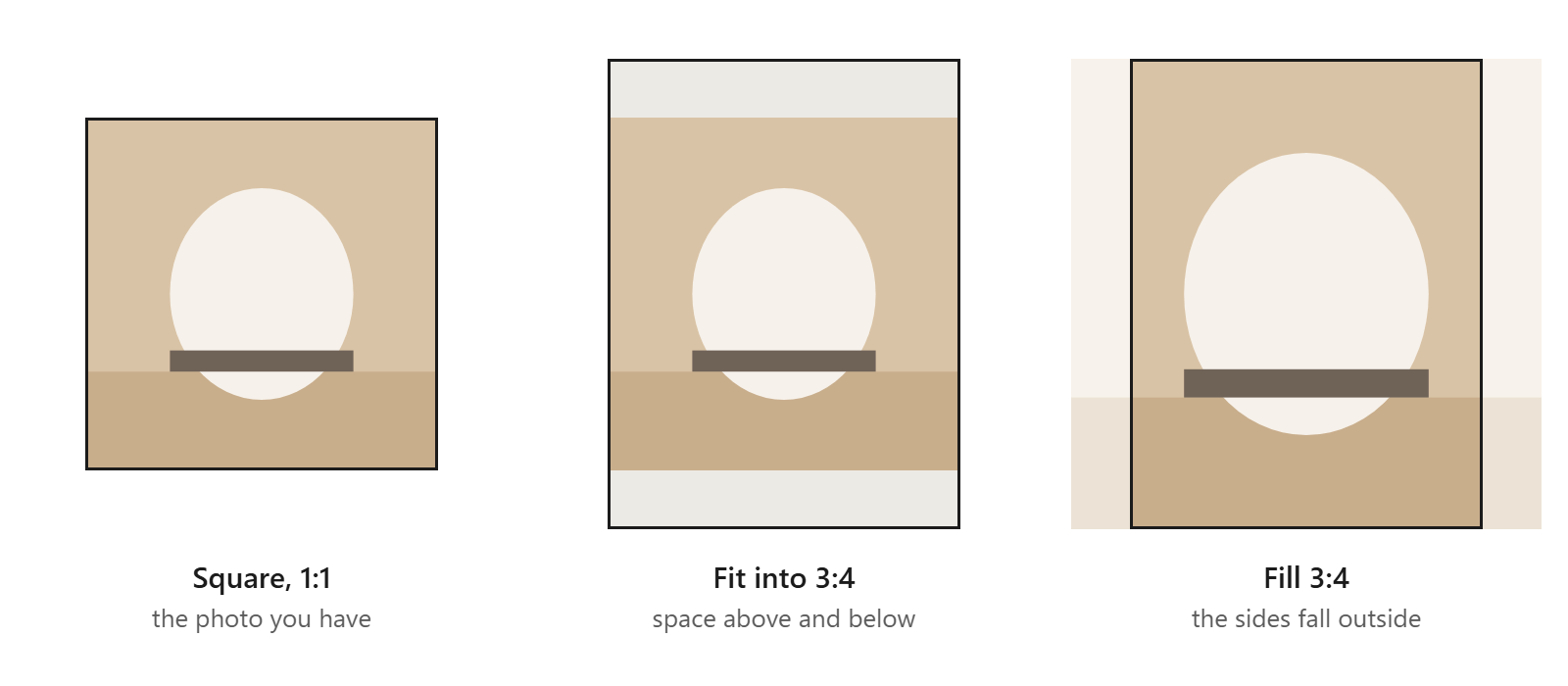
Hand over a photo that already measures 3:4 and the two converge: get there by adding space rather than by cutting, and the frame is full with every pixel you shot still in it.
Padding, or taking the photo again
For anything still in front of you, shooting it again is better, and Poshmark makes the case: "Taking photos directly from your phone is now easier, since your camera already defaults to portrait (3:4)". Its tips are about framing rather than editing — "Leave a slight space around the edges for better framing".
Padding is for the closet you already have. A shop that followed Poshmark's 2020 photography guide is full of squares, because it told sellers "you will need to edit and crop your photos to square size upon uploading them to Poshmark" and to "shoot in square (1:1) mode". Those listings were not a mistake; the frame around them moved.
One trade-off: a padded square fills a 3:4 frame, but the item in it is smaller than in a photo framed for portrait. And be clear about what padding buys: a 3:4 photo is the shape the frame is asking for, so there is nothing for the framing to reconcile. It is not a promise about what Poshmark then does with the file — Poshmark does not publish that.
Doing it to a batch here
This is the paid half of the tool. Padding and a set shape are paid, and a free batch comes back at the photos' own proportions — the request is removed and reported, not silently ignored. Free is everything around it: resizing, converting, renaming, the ZIP.
-
Find the Canvas settings. Free, they look like this — present, labelled and switched off. Padding is pixels added on every side; Shape offers the photo's own proportions, square, 3:4, 4:5, 16:9 or 9:16; Background is the colour the new space takes.

Canvas in the free version: visible, and disabled. -
Set the size first, then the shape. The resize runs before the space goes on, so a square sized to 2000px on its long edge and then set to 3:4 comes out as 2000×2667, centred — the canvas is larger than the photo, never a window cut into it. Pick a background matching what the item sits on, so white does not read as a seam.
-
Run the batch and take the ZIP. The archive is built in the page, so the download comes off your own machine.
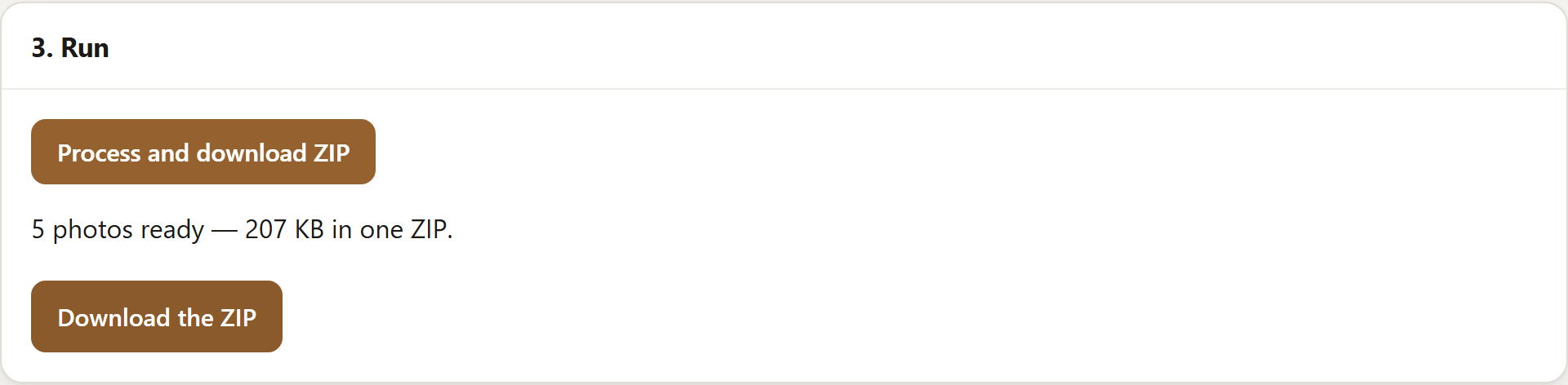
A paid run: five photos, each padded out to 3:4. A free batch reaches this panel too, at the photos' own proportions.
What this does not do
The space it adds is one flat colour you choose. There is no generated or blurred backdrop, so against a gradient background the join will show. Nor does it touch a listing you have already published — nothing here uploads anything, so a re-framed photo reaches a marketplace only when you put it there. And it settles nothing at the far end: how a listing is framed is Poshmark's decision, not ours, and this page is only what its blog said on 23 September 2026.
Where the free version stops
Free does ten photos at a time, up to 2048px on the longest edge: resize, convert, rename, watermark and a ZIP. Padding and a set shape are paid, $29 once rather than a subscription — the split is on the pricing panel.
Open SignetDrop and try a batch. The free settings need no account, and the pictures stay on your disk.
Questions
Do I have to redo my square Poshmark photos?
No. Poshmark says "no action is needed" for listings taken before the change, and a shopper who opens one still sees the original image. Padding to 3:4 hands the feed a photo already in the frame's shape; it does not repair anything.
What size should a 3:4 Poshmark photo be?
Poshmark's post gives a shape and not a size: it names the ratio and says nothing about pixels, so there is no figure to quote. Work from the photo you have — set the longest edge, then the shape. The tool never enlarges a photo to reach a size, so the result keeps whatever detail the original had.
Can I do this for free?
Not the padding. Adding space and setting a shape are both paid, and a free batch has them removed rather than applied — the run tells you which it dropped. Everything around them is free: ten at a time on the free version, up to 2048px, resized, renamed, converted and zipped, with nothing uploaded. If it is sizing you need rather than shape, bulk resize and rename photos online covers it for nothing.
Open the tool, or read about squaring a batch without cropping, what eBay and Etsy allow on a listing photo, watermarking a batch, clearing location data, sizing for a feed or whether resizing removes EXIF, or what this page loads and counts.